



MS Access 2003: Create a New Pass-through Query
This MSAccess tutorial explains how to create a pass-through query in Access 2003 (with screenshots and step-by-step instructions).
How to Create a New Pass-through Query
Now that you've set up your ODBC connection, you can begin to setup your pass-through query.
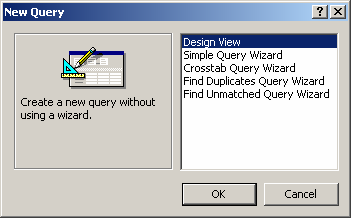
To do this, create a new Query. When the New Query window appears, select Design View.
When the Show Table window appears, click on the Close button.

You should now have a blank query that looks like the one below.


Advertisements