



MS Excel 2003: How to Hide a Value in a Pivot Table
This Excel tutorial explains how to hide a value in a pivot table in Excel 2003 and older versions (with screenshots and step-by-step instructions).
See solution in other versions of Excel:
Question: How do I hide a value in a pivot table in Microsoft Excel 2003/XP/2000/97?
Answer: Select the value that you wish to hide. In this example, we are going to hide Order #10249.
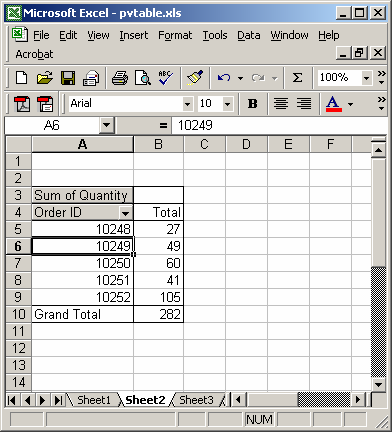
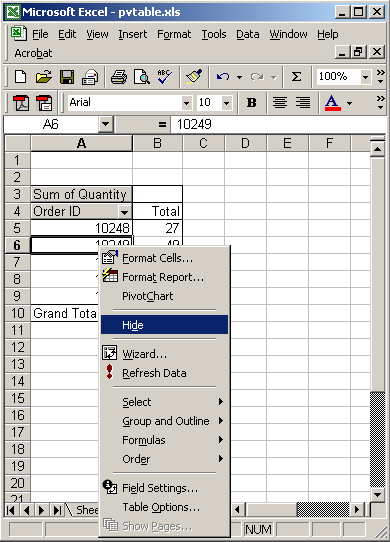
Right-click and the select "Hide" from the popup menu.
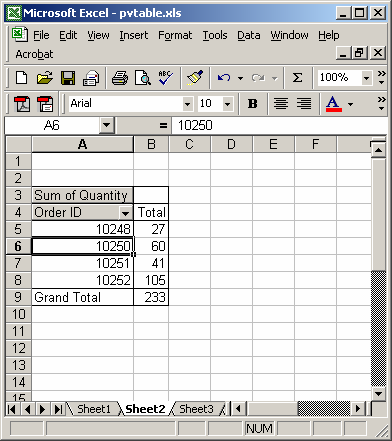
The Order #10249 is now hidden.


Advertisements