



MS Excel 2003: Unhide column A
This Excel tutorial explains how to unhide column A (ie: first column in the sheet) in Excel 2003 and older versions (with screenshots and step-by-step instructions).
See solution in other versions of Excel:
Before trying the following solution, you might want to make sure that you don't have any frozen panes that you need to unfreeze.
Question: How do I unhide column A in a sheet in Microsoft Excel 2003/XP/2000/97?
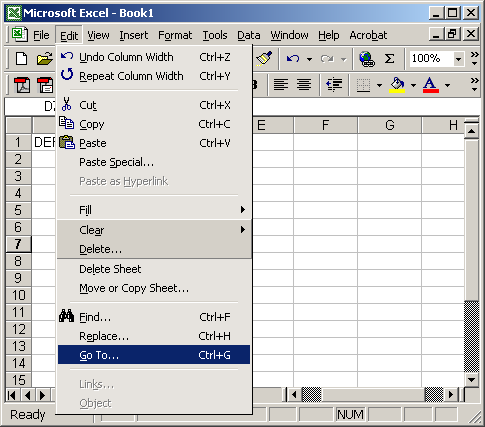
Answer: Under the Edit menu, select "Go To".
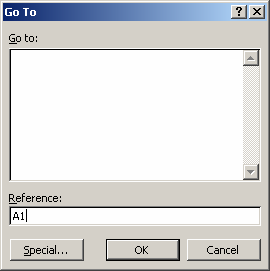
When the GoTo window appears, enter A1 in the Reference field and click on the OK button.
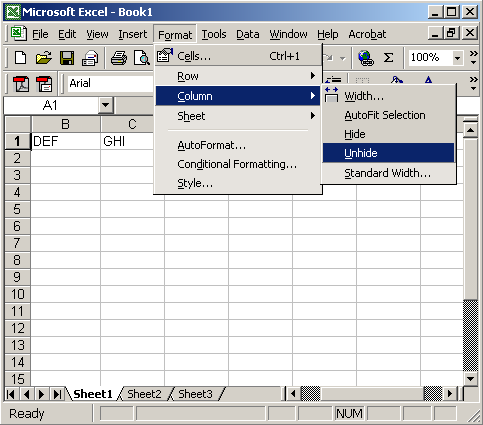
Under the Format menu, select Column > Unhide.
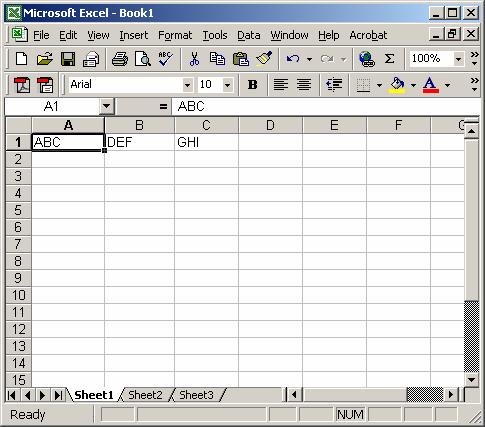
Now you should be able to see column A in your Excel spreadsheet.


Advertisements