



MS Excel 2003: Draw a border around a cell
This Excel tutorial explains how to draw a border around a cell in Excel 2003 or older versions (with screenshots and step-by-step instructions).
See solution in other versions of Excel:
Question: How do I draw a border around a cell in Microsoft Excel 2003/XP/2000/97?
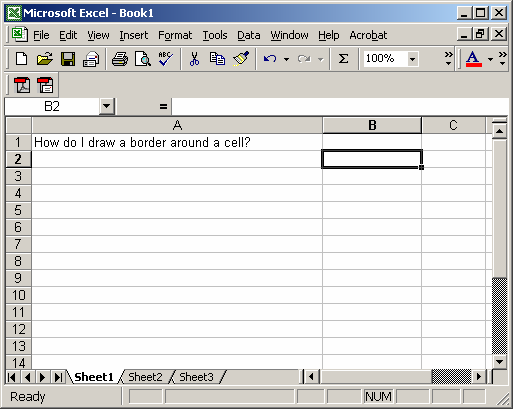
Answer: Select the cells that you wish to draw the border around.
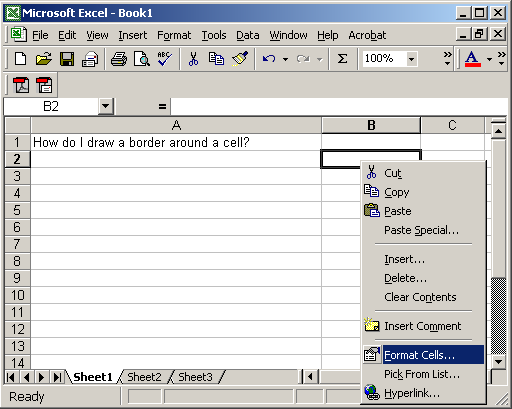
Right-click and then select "Format Cells" from the popup menu.
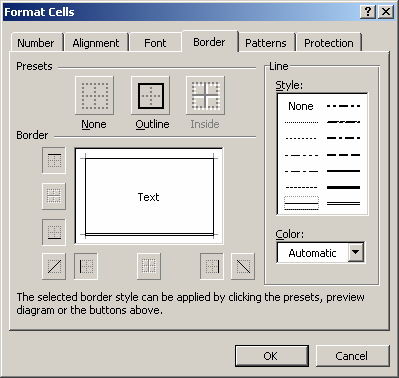
When the Format Cells window appears, select the Border tab. Next select your line style and the borders that you wish to draw. In this example, we've chosen a double line across the bottom and a single line on the top and sides.
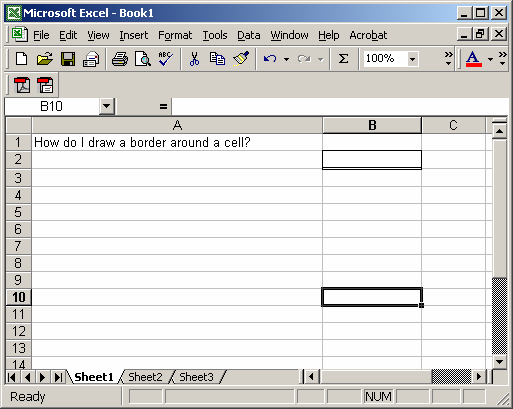
Now when you return to your spreadsheet, you should see the border, as follows:


Advertisements