



MS Excel 2010: Unhide row 1
This Excel tutorial explains how to unhide row 1 in Excel 2010 (with screenshots and step-by-step instructions).
See solution in other versions of Excel:
Question: How do I unhide row #1 in a sheet in Microsoft Excel 2010?
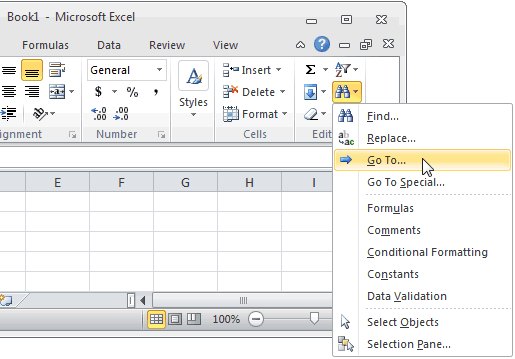
Answer: Select the Home tab from the toolbar at the top of the screen. In the Editing group, click on the Find button and select "Go To" from the popup menu.
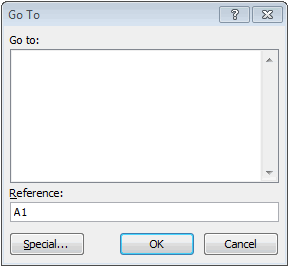
When the GoTo window appears, enter A1 in the Reference field and click on the OK button.
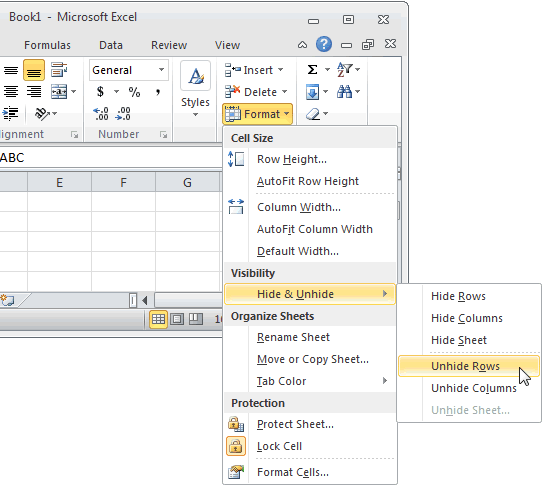
Select the Home tab from the toolbar at the top of the screen. Select Cells > Format > Hide & Unhide > Unhide Rows.
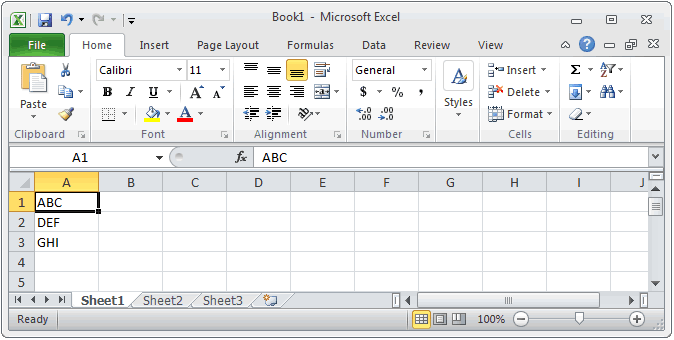
Row 1 should now be visible.
TIP: If you are unhiding rows 1-3 and the instructions above did not work. Try hiding rows 1-3 (even if they were hidden) and then try unhiding them again.


Advertisements