



MS Excel 2007: Hide a sheet
This Excel tutorial explains how to hide a sheet in Excel 2007 (with screenshots and step-by-step instructions).
See solution in other versions of Excel:
Question: In Microsoft Excel 2007, how do I hide a sheet from being displayed?
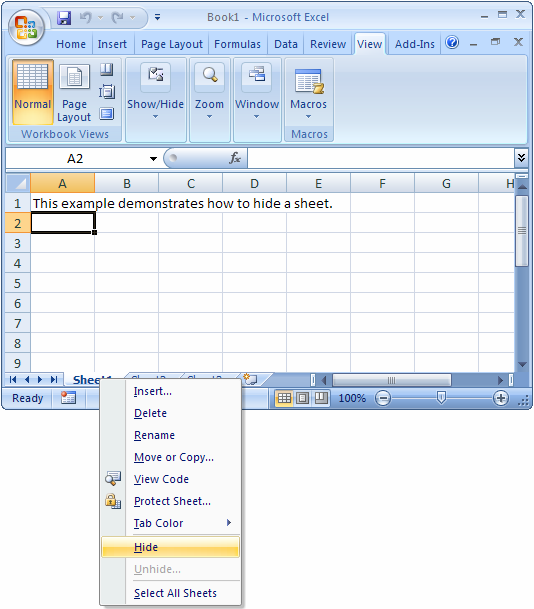
Answer: You can view all of the sheet names as tabs along the bottom of the document. To hide a sheet, simply right-click on the name of the sheet that you wish to hide. In this example, we want to hide Sheet1 from being displayed.
Then select Hide from the popup menu.
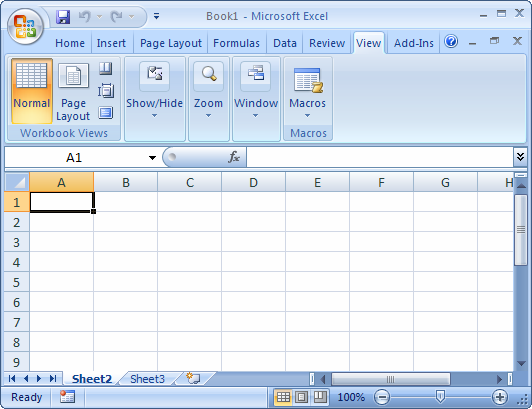
Now when you return to your spreadsheet, Sheet1 should no longer be visible.


Advertisements