



MS Excel 2007: Center text across multiple cells
This Excel tutorial explains how to center text across multiple cells in Excel 2007 (with screenshots and step-by-step instructions).
See solution in other versions of Excel:
Question: I want to center text across multiple cells in Microsoft Excel 2007 but I don't want to have to merge the cells. How can I do this?
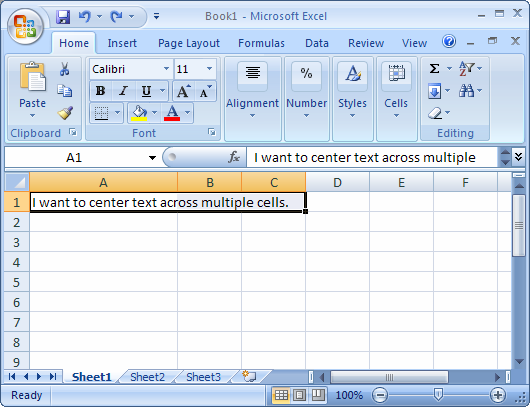
Answer: Select the cells that you wish to center the text across.
TIP: The text that you are trying to center must be in the left most cell (first cell) of the selected range.
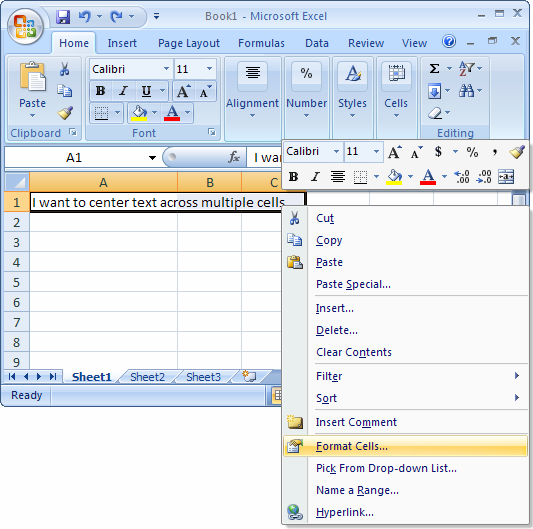
Right-click and then select "Format Cells" from the popup menu.
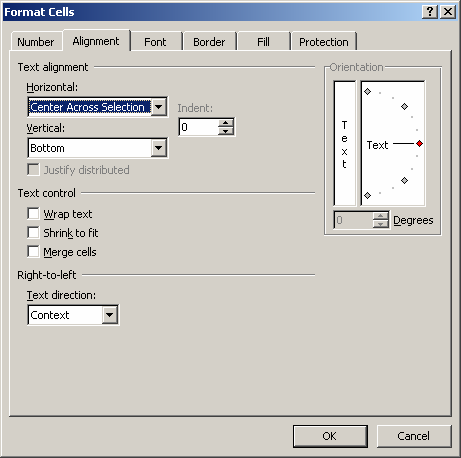
When the Format Cells window appears, select the Alignment tab. Click on "Center Across Selection" in the drop-down box called Horizontal.
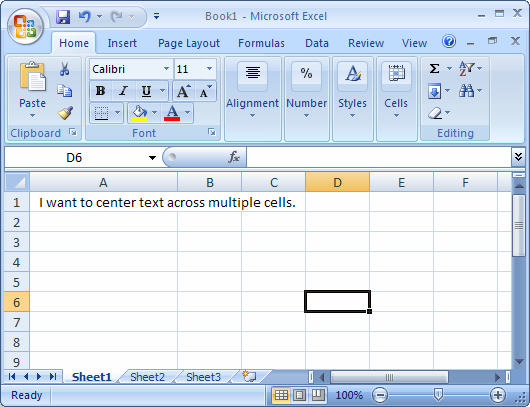
Now when you return to your spreadsheet, you should see the text centered across the cells that you selected.


Advertisements