



MS Excel 2007: Email the active worksheet
This Excel tutorial explains how to write a macro to email the active worksheet in Excel 2003 and older versions (with screenshots and step-by-step instructions).
Question: In Microsoft Excel 2007, I have a large workbook at is 97MB in size. Is there a way to create a button on a worksheet so that I can e-mail only that worksheet and not the entire workbook?
Answer:Let's look at an example.
Download Excel spreadsheet (as demonstrated below)
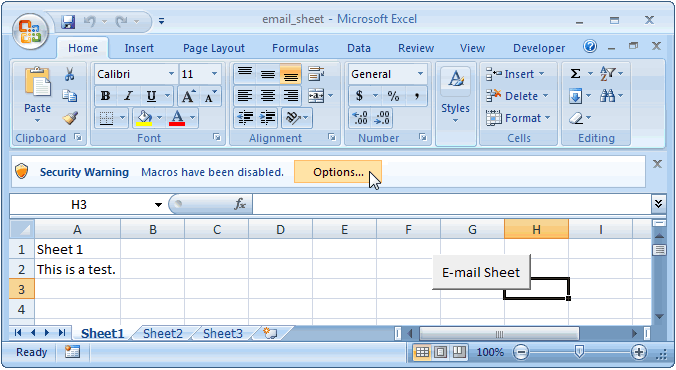
In our spreadsheet, we have a button that runs VBA code to e-mail only Sheet1 and not the entire workbook. When you first open this spreadsheet, you will be presented with a Security Warning because of the macro. Click on the Options button next to the Security Warning message.
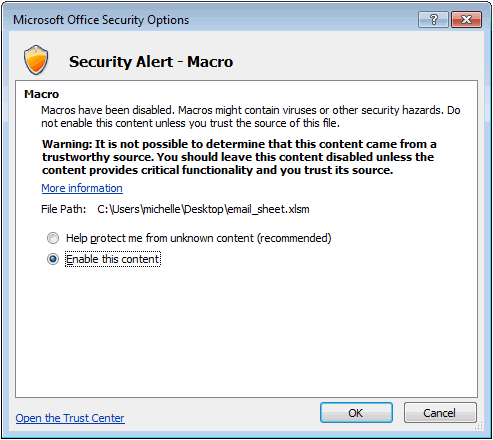
When the Microsoft Office Security Options window appears, select "Enable this content" and then click on the OK button.
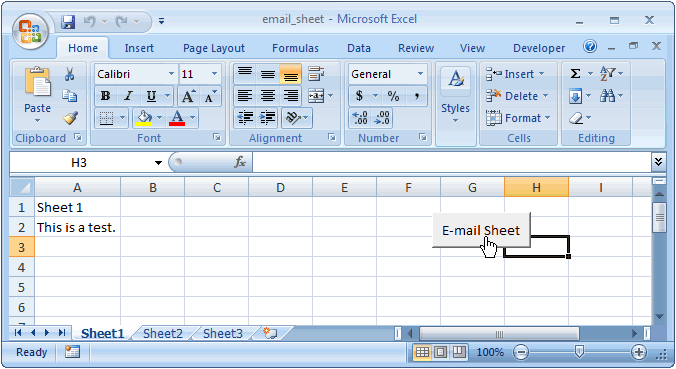
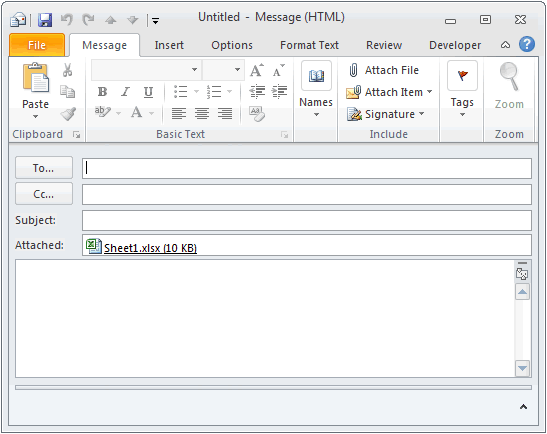
Now when you click on the E-Mail Sheet button and if your e-mail client is Outlook, a new Outlook message should be created with Sheet1.xlsx as the attachment (which is ONLY Sheet1 from the workbook).
You can view the VBA code by opening the Visual Basic editor.
Macro Code
The macro code looks like this:
Sub Email_Sheet()

   Dim oApp As Object
   Dim oMail As Object
   Dim LWorkbook As Workbook
   Dim LFileName As String

   'Turn off screen updating
   Application.ScreenUpdating = False

   'Copy the active worksheet and save to a temporary workbook
   ActiveSheet.Copy
   Set LWorkbook = ActiveWorkbook

   'Create a temporary file in your current directory that uses the name
   ' of the sheet as the filename
   LFileName = LWorkbook.Worksheets(1).Name
   On Error Resume Next
   'Delete the file if it already exists
   Kill LFileName
   On Error GoTo 0
   'Save temporary file
   LWorkbook.SaveAs FileName:=LFileName

   'Create an Outlook object and new mail message
   Set oApp = CreateObject("Outlook.Application")
   Set oMail = oApp.CreateItem(0)

   'Set mail attributes (uncomment lines to enter attributes)
   ' In this example, only the attachment is being added to the mail message
   With oMail
      '.To = "user@yahoo.com"
      '.Subject = "Subject"
      '.body = "This is the body of the message." & vbCrLf & vbCrLf & _
      '"Attached is the file"
      .Attachments.Add LWorkbook.FullName
      .Display
   End With

   'Delete the temporary file and close temporary Workbook
   LWorkbook.ChangeFileAccess Mode:=xlReadOnly
   Kill LWorkbook.FullName
   LWorkbook.Close SaveChanges:=False

   'Turn back on screen updating
   Application.ScreenUpdating = True
   Set oMail = Nothing
   Set oApp = Nothing

End Sub
Advertisements