



MS Access 2003: Open the Switchboard maximized (full screen)
This MSAccess tutorial explains how to open the switchboard maximized in Access 2003 (with screenshots and step-by-step instructions).
Question: In Microsoft Access 2003/XP/2000/97, how do I set up the Switchboard so that when I open the database, the Switchboard opens maximized?
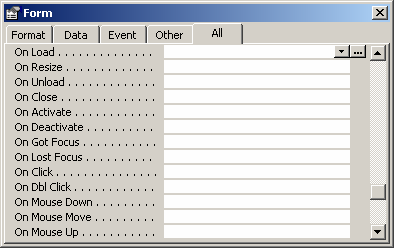
Answer: To maximize the Switchboard, open the Form called Switchboard in Design View. Select the property called "On Load". A button with 3 dots to the right of the "On Load" property should appear. Click on this button.
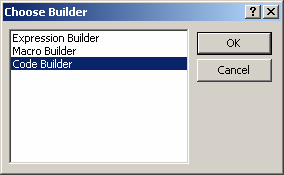
When the Choose Builder window appears, highlight "Code Builder" and click on the OK button.
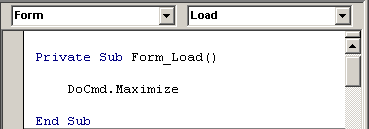
Enter the following code:
DoCmd.Maximize
Your Form_Load subroutine should look as follows:
Now when your database opens, your Switchboard should open maximized.
Advertisements