



MS Access: Naming Variables (Programming Standards)
We try to prefix all variables with a letter indicating the scope of the variable. This makes it easier to figure out where the variable has been declared.
Here is a quick summary of the naming conventions that we use:
| Scope | Example | Explanation |
|---|---|---|
| Global | GClient_ID | All global variables should be prefixed with "G". |
| Local | LClient_ID | All local variables should be prefixed with "L". |
| Parameter | pClient_ID | All parameters should be prefixed with "p". |
Global Variables
What is a Global variable?
A Global variable is one that can be accessed from anywhere in your program. We try to prefix all Global variables with "G".
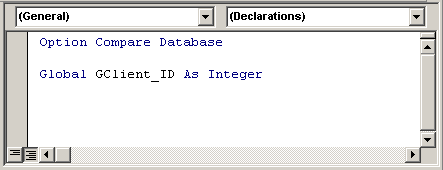
For example, you could create a global variable called GClient_ID with the following command:
Global GClient_ID As Integer
Global variables are generally declared at the top (ie: Declarations section) of a module.
Local Variables
What is a Local variable?
A Local variable is one that exists only within the current function or subroutine. We try to prefix all Local variables with "L".
For example, you could create a local variable called LTotalDays with the following command:
Dim LTotalDays As Integer
Local variables are generally declared at the top (ie: Declarations section) of a function or subroutine.
Below is an example of a function:
Function Example1() As Integer

   Dim LTotalDays As Integer
   Dim LSaturdays As Integer
   Dim LSundays As Integer

   LTotalDays = DateDiff("d", StartDate, EndDate)
   LSaturdays = DateDiff("ww", StartDate, EndDate, 7)
   LSundays = DateDiff("ww", StartDate, EndDate, 1)

   'Elapsed days excluding Saturdays and Sundays
   Example1 = LTotalDays - LSaturdays - LSundays

End Function
In this example, we've created three local variables - LTotalDays, LSaturdays, and LSundays.
Parameters
What is a Parameter?
A Parameter is a variable that is used to pass information to or from a function or subroutine. We try to prefix all parameters with "p".
For example, we could create parameters in a function as follows:
Function Example2(pStartDate As Date, pEndDate As Date) As Integer

   Dim LTotalDays As Integer
   Dim LSaturdays As Integer
   Dim LSundays As Integer

   LTotalDays = DateDiff("d", pStartDate, pEndDate)
   LSaturdays = DateDiff("ww", pStartDate, pEndDate, 7)
   LSundays = DateDiff("ww", pStartDate, pEndDate, 1)

   'Elapsed days excluding Saturdays and Sundays
   Example2 = LTotalDays - LSaturdays - LSundays

End Function
In this example, we've created a function with two parameters - pStartDate and pEndDate.
You could also create parameters in a subroutine as follows:
Sub Example3(pStartDate As Date, pEndDate As Date)

   Dim LTotalDays As Integer

   LTotalDays = DateDiff("d", pStartDate, pEndDate)

   'Elapsed days
   MsgBox "There are " & LTotalDays & " elapsed days."

End Sub
In this example, we've created a subroutine with two parameters - pStartDate and pEndDate.
Advertisements