



MS Access 2007: Retrieve Top N records from a query
This MSAccess tutorial explains how to create a query to retrieve the Top N records in Access 2007 (with screenshots and step-by-step instructions).
See solution in other versions of Access:
Question: In Microsoft Access 2007, I'd like to retrieve only the first 6 records from a query. How can I do this?
Answer: We'll demonstrate how to do this with an example below.
We have a query as follows:
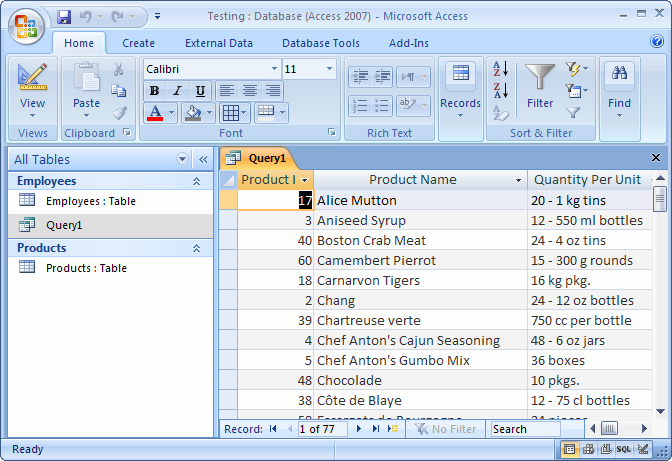
As you can see that we get more than 6 records returned.
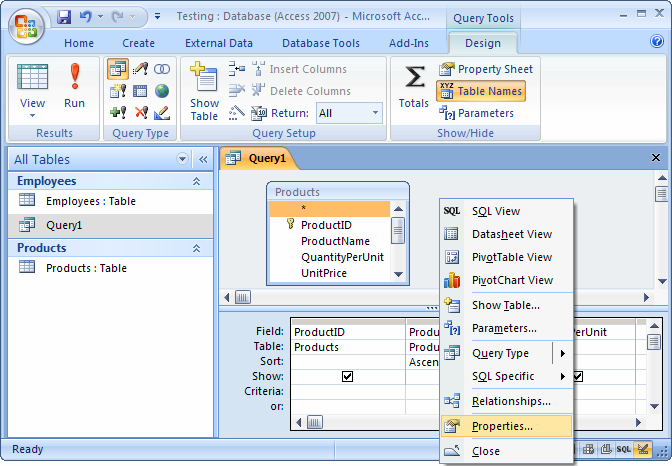
To limit the results of this Access query to only display the first 6 records, we need to open the query in Design view. Right-click somewhere in the Query window beside a table (but not on a table) and select Properties from the popup menu.
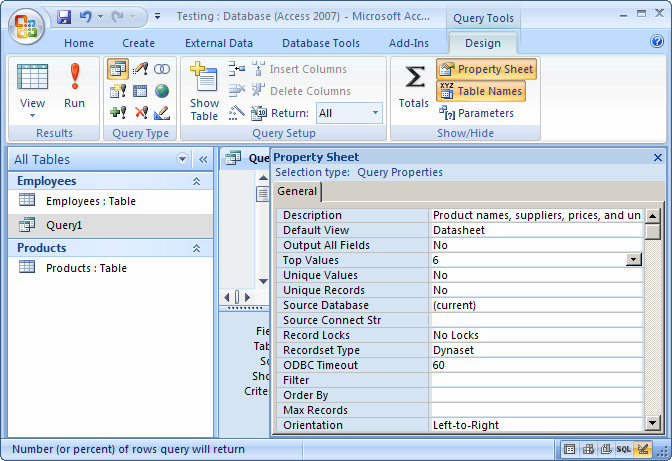
When the Query Properties window appears, change the "Top Values" property to 6. Then close the property editor by clicking the X in the top right corner.
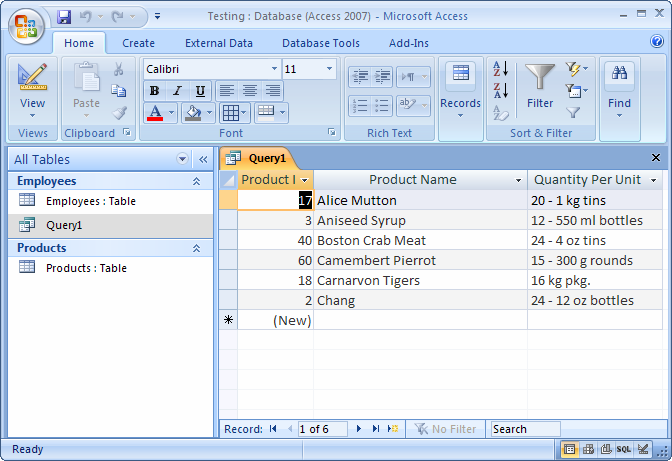
Now when we run our query, only the first 6 records are returned.
Advertisements