



MS Access 2007: Run a query
This MSAccess tutorial explains how to run a query in Access 2007 (with screenshots and step-by-step instructions).
Question: In Microsoft Access 2007, I've created a query and I want to see the query results. How do I run the query?
Answer:You can run a query directly from the Navigation Pane or from the Design view. We'll take a look at both ways.
Run a query from the Navigation Pane
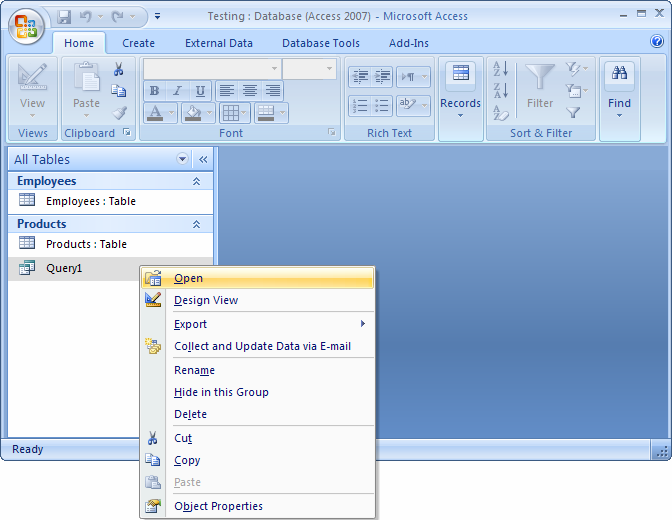
Right-click on the Query in the left window (Navigation Pane) and select Open from the popup menu.
Run a query from the Design View
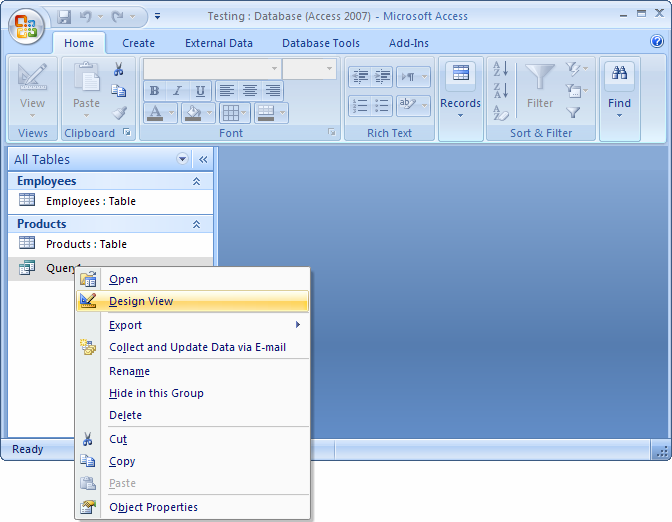
First, open the query in Design View by right-clicking on the Query in the left window and selecting Design View from the popup menu.
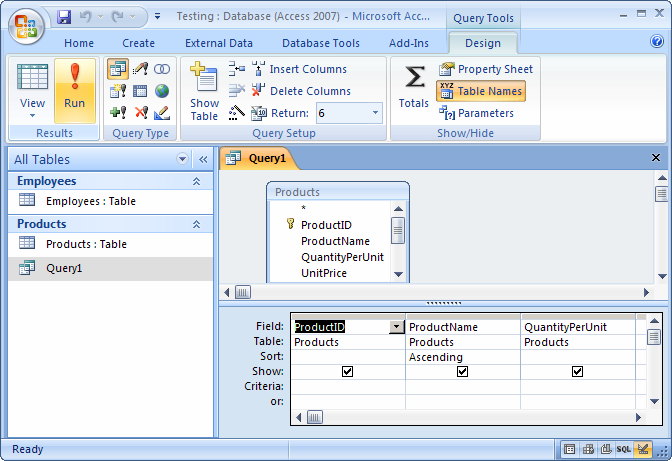
Then select the Design tab in the toolbar at the top of the screen. Then click on the Run button in the Results group.
Advertisements