



MS Excel 2011 for Mac: Change height of a row
This Excel tutorial explains how to change the height of a row in Excel 2011 for Mac (with screenshots and step-by-step instructions).
See solution in other versions of Excel:
Question: How do I change the height of a row in Microsoft Excel 2011 for Mac?
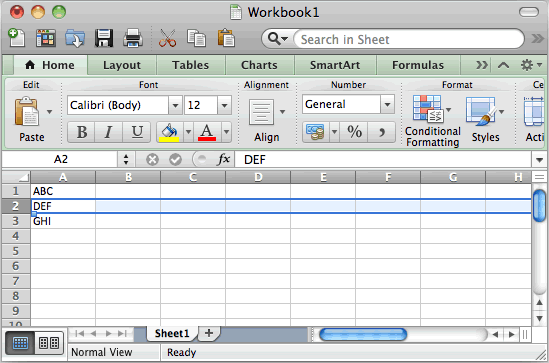
Answer: Select the entire row that you wish to modify.
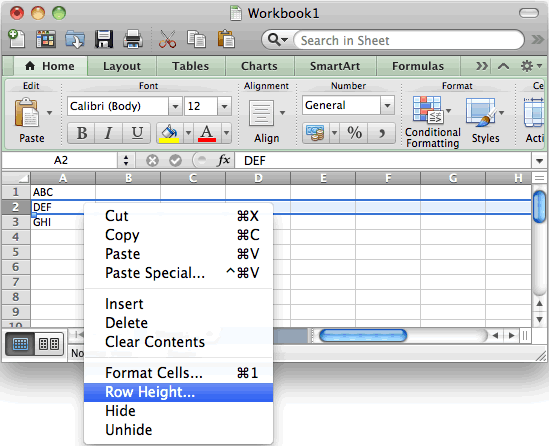
Right-click and select "Row Height" from the popup menu.
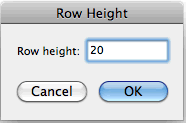
Enter the new row height and click on the OK button.
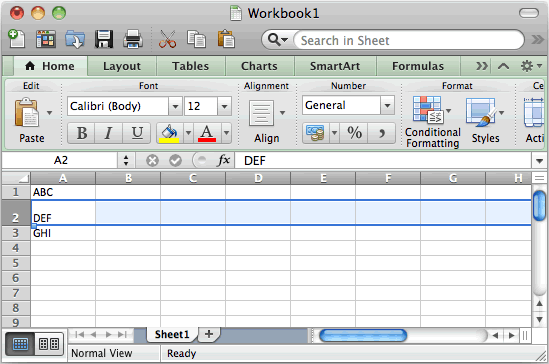
Your row should now be the new height.


Advertisements