



MS Access 2007: Indexes on a table
This MSAccess tutorial explains how to add indexes on a table in Access 2007 (with screenshots and step-by-step instructions).
See solution in other versions of Access:
Question: In the Access 2007 Help, the specifications for a table says that the maximum number of indexes in a table is 32, and the maximum number of fields in an index is 10. When saving my Orders table, I got the following error message:
"The operation failed. There are too many indexes on table 'Orders'. Delete some of the indexes on the table and try the operation again." (See picture)

I clicked OK. Then I got another error message:
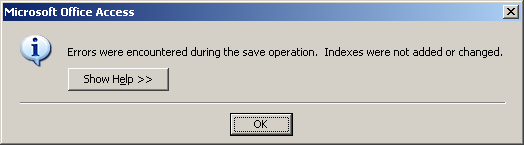
"Errors were encountered during the save operation. Indexes were not added or changed." (See picture)
What is an example of an index?
Answer: Each field on a table has a property called Indexed.
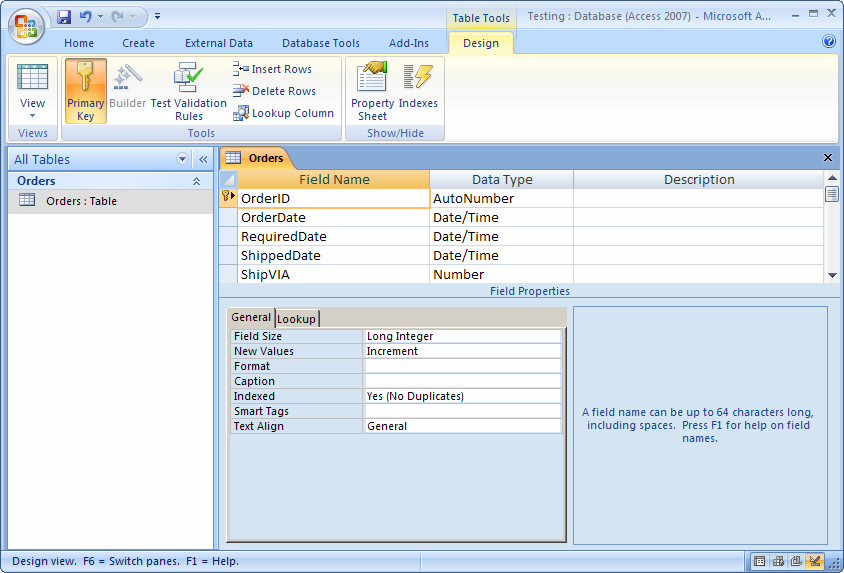
This property can be set to one of three values:
| Property | Description |
|---|---|
| No | This means that the field is not indexed. |
| Yes (Duplicates OK) | This means that the field is indexed. The value in this field can appear in more than one record. |
| Yes (No Duplicates) | This means that the field is indexed and is most likely the primary key for the table. (ie: A particular value can not appear in more than one record.) |
There can not be more than 32 fields in your table with the Indexed property of either "Yes (Duplicates OK)" or "Yes (No Duplicates)".
In general, you would leave the Indexed property to "No", except if you are having performance issues retrieving values from your table. Then you may decide to create an index in your table.
Please note that when you set your primary key on your table, Access will automatically set the Indexed property on those fields to "Yes (Duplicates OK)".
Advertisements