



MS Access 2007: Create a switchboard
This MSAccess tutorial explains how to create a switchboard in Access 2007 (with screenshots and step-by-step instructions).
See solution in other versions of Access:
Question: In Access 2007, how do I create a switchboard that allows me to navigate through my Access database?
Answer: To create a switchboard, select the Database Tools tab in the toolbar at the top of the screen. Then click on the Switchboard Manager button in the Database Tools group.
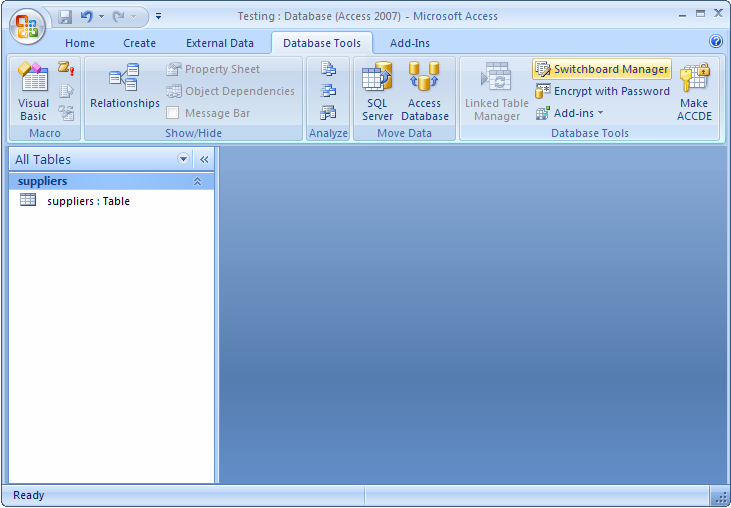
Click on the Yes button.

When the Switchboard Manager window appears, click on the Edit button.
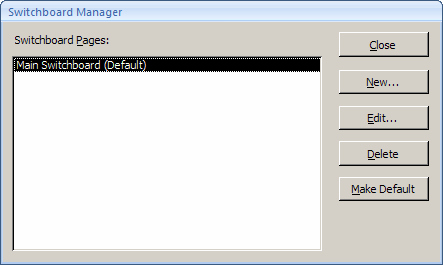
Next, you will need to add buttons to the switchboard. To do this, click on the New button.

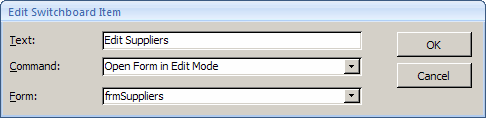
Enter the text that will appear next to the button. Select the command. In this example, we've set up a switchboard item to open the form called frmSuppliers. Click on the OK button.
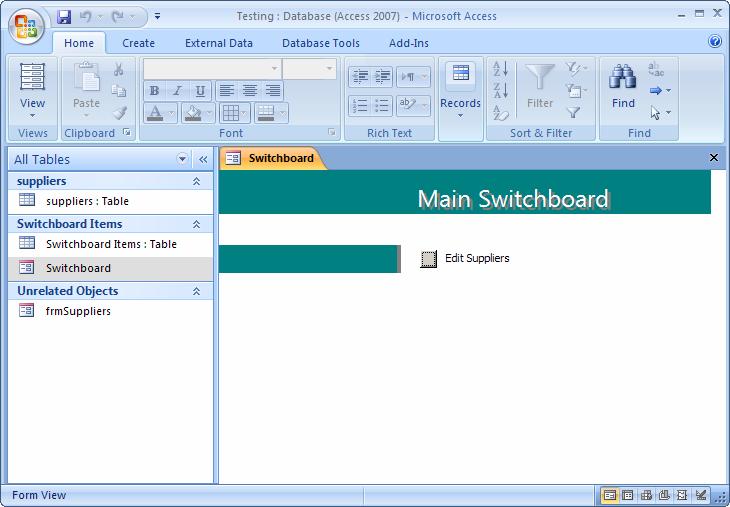
Now, when you open your Access database, the switchboard should open automatically and display any buttons that you've configured.
Advertisements