



MS Access 2003: Remove a database-level password from a database
This MSAccess tutorial explains how to remove a database-level password from a database in Access 2003 (with screenshots and step-by-step instructions).
Question: In Microsoft Access 2003/XP/2000/97, how do I remove a database-level password from a database?
Answer: To remove a database-level password, exclusively open your Access database.
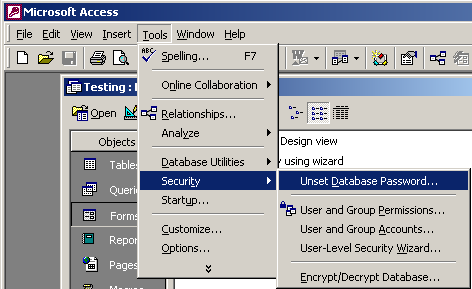
Under the Tools menu, select Security > Unset Database Password.
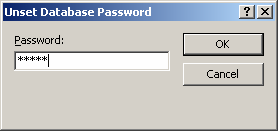
When the Unset Database Password window appears, enter your password and click on the OK button.
Now when you re-open your database, you will no longer be prompted to enter a password.
Advertisements