



MS Access 2003: Counting the number of records with a blank field
This MSAccess tutorial explains how to count the number of records with a blank value in a report in Access 2003 (with screenshots and step-by-step instructions).
Question: In an Access 2003/XP/2000/97 report, how can I do a count of the number of items with a blank field?
Answer: Let's look at a report to demonstrate.
In our report, we have an OrderDate field that we want to check for blank values (ie: no date value).
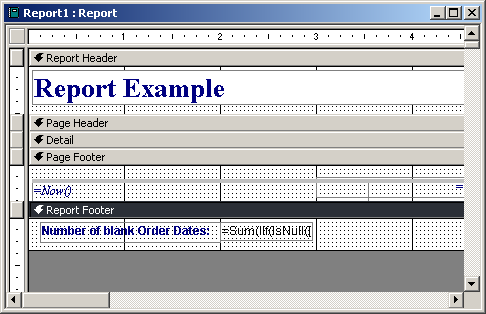
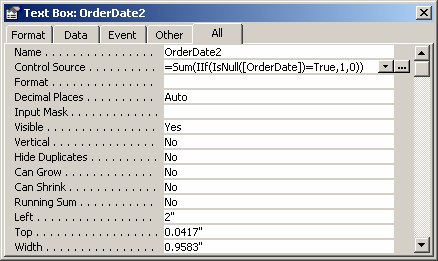
To do this, we first need to create a text box on the report and give it a unique name such as OrderDate2. Do not call the text box the name of the field that you are checking for a blank value.
Then you need to enter the following formula in the Control Source property:
=Sum(IIf(IsNull([OrderDate])=True,1,0))
This formula first calls the IsNull function to check if the OrderDate field contains a NULL value (ie: no date value). If the OrderDate field contains a NULL value, the IIf function will return a 1, otherwise a 0. The Sum function will add up all of the values returned by the IIf function. Thus, returning a count of the number of blank values in the OrderDate field.
Advertisements