



MS Access 2003: View SQL for a query
This MSAccess tutorial explains how to view the SQL for a query in Access 2003 (with screenshots and step-by-step instructions).
See solution in other versions of Access:
Question: In Microsoft Access 2003/XP/2000/97, I've created a query and I want to view the SQL for this query. How do I do this?
Answer: To view the SQL for a query, open your query in design view.
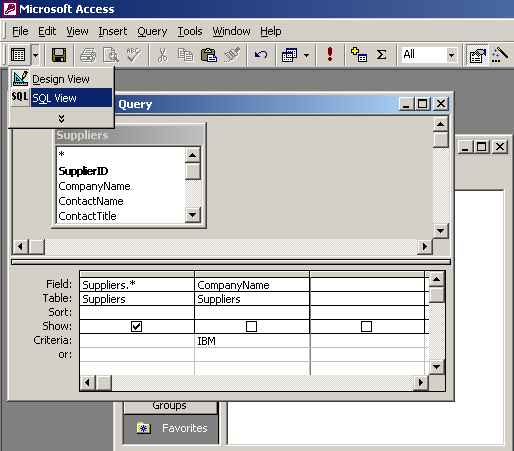
Then under the "View" menu, select "SQL View" OR you can select "SQL View" from the toolbar as seen in the picture below:
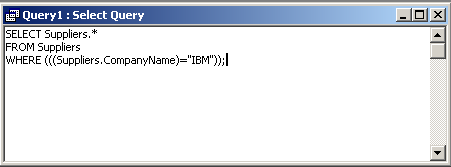
Your Query window should now display the SQL for the query. See below:
Advertisements