



MS Access 2003: Set up a text box to flash red/black when a date is past due
This MSAccess tutorial explains how to set up a text box to flash red/black when a date is past due in Access 2003 (with screenshots and step-by-step instructions).
See solution in other versions of Access:
Question: In Microsoft Access 2003/XP/2000/97, I've built a database for my office use. My problem is how do I make the fore color in the date field flash red and black whenever the date is overdue?
Answer: To set up an object to flash red and black, you need to place VBA code on the Form's "On Timer" event.
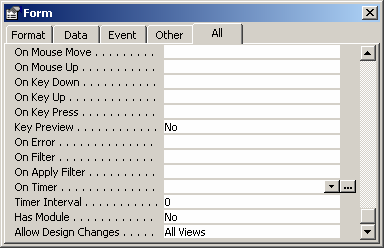
First, select the "On Timer" property on the Form. A button with 3 dots should appear to the right. Click on this button.
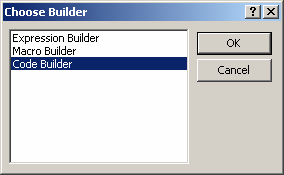
When the Choose Builder window appears, highlight Code Builder and click on the OK button.
Next, insert code on the "On Timer" event as follows:
Private Sub Form_Timer()

   If [RequiredDate] < Date Then
      If [RequiredDate].ForeColor = vbRed Then
         [RequiredDate].ForeColor = vbBlack
      Else
         [RequiredDate].ForeColor = vbRed
      End If
   End If

End Sub
In this example, the VBA will flash the RequiredDate field (ie: forecolor) as red/black if the date is overdue.
Next, you need to set the Timer Interval. Go back to the Properties for the Form and set the "Timer Interval" property.
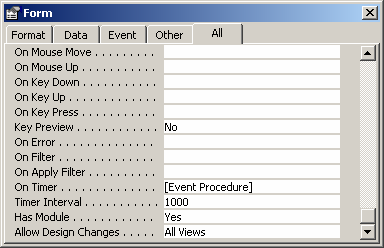
In this example, we've set the Timer Interval to 1000 milliseconds which is equivalent to 1 second. So the color of the RequiredDate field will flash red/black every 1 second.
You can set the Timer Interval to any value between 0 and 2,147,483,647, as appropriate.
Advertisements