



MS Access 2003: Display/Unhide the database window
This MSAccess tutorial explains how to display the database window when it has been hidden in Access 2003 (with screenshots and step-by-step instructions).
See solution in other versions of Access:
There are different ways that the database window can be hidden in Access 2003/XP/2000/97. As a result, there are also different methods for displaying a hidden database window. We'll go through the options from the easily method to the most difficult.
Method #1
This is the easiest and most common method of unhiding a database window.
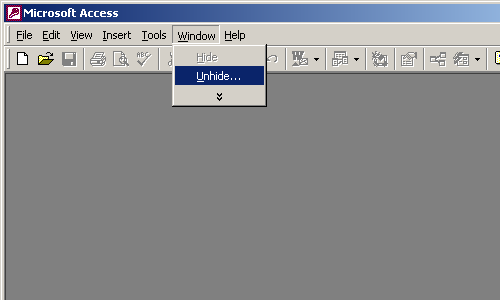
Under the Window menu, select Unhide.
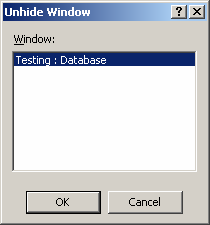
When the "Unhide Window" appears, select the database window that you wish to unhide and click on the OK button. In this case, our database is called Testing.
Method #2
Now in a more complicated situation. You might open the Access database and find that most of your menus are hidden and that there is not an Unhide option under the Window menu.
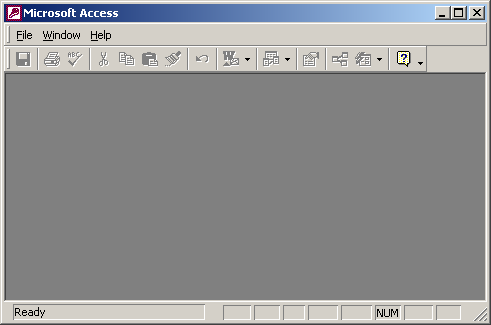
In this case, try pressing the F11 key. This should bring up the database menu automatically.
Advertisements